Creating and formatting documents
A word processor lets you type, bring in content from other sources and format it: change how text and pages look. Paper 1 asks one feature most years: anything that must appear at the top of every page goes in the header; at the bottom, the footer.
By the end of this page you can
- Build a document from typed text, imported text and pictures
- Choose character and paragraph formatting
- Use headers, footers, page numbers, footnotes and endnotes
- Answer formatting questions
Goals tick themselves off as you try the activities below.
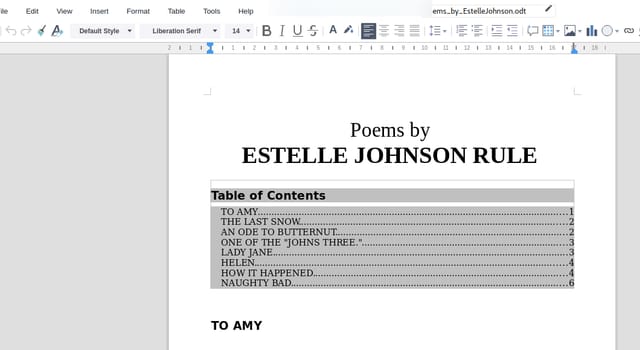
Photo: Marc Rodrigues (Collabora), CC BY-SA 4.0, via Wikimedia Commons. Cropped, program icon and file name removed or blurred, JPEG q80.
Fonts, sizes, bold, centring and shading: formatting turns plain text into a document people can read.
How often it shows up in past papers
All papers11 of 14 papers
Last 53 of 5 · 2019–2025
Paper 1 counts come from our past-paper bank of CSEC Information Technology Paper 1s. The last-5 row shows how often it came up in the five most recent papers.
Inside this topic
- Build and formatLocked
- Page featuresLocked
- Key termsLocked
- Test yourselfmarkedLocked
- Practise for real · 1 past questionLocked