Charts and linked worksheets
A chart turns a table of numbers into a picture you can read at a glance. Pick the type that fits the data, then label it. Paper 1 shows data for two years and asks which chart is NOT suitable: the pie chart, because a pie shows the parts of one whole.
By the end of this page you can
- Choose the right chart for the data
- Label a chart with a title, axis labels and data labels
- Link one worksheet to another
- Answer chart questions
Goals tick themselves off as you try the activities below.
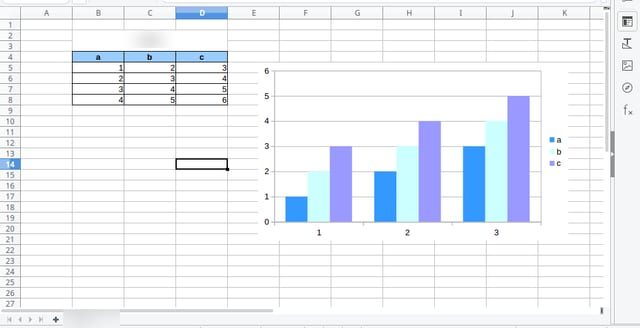
Photo: Yanpas, CC BY-SA 4.0, via Wikimedia Commons. Cropped to the sheet (title bar and menus removed), product name and sheet tab blurred, JPEG q82.
Select the table, insert a chart, then add a title and labels so the reader knows what it shows.
How often it shows up in past papers
All papers6 of 14 papers
Last 52 of 5 · 2019–2025
Paper 1 counts come from our past-paper bank of CSEC Information Technology Paper 1s. The last-5 row shows how often it came up in the five most recent papers.
Inside this topic
- Label and linkLocked
- Four chart typesLocked
- Key termsLocked
- Test yourselfmarkedLocked
- Practise for real · 1 past questionLocked